Semantic Search
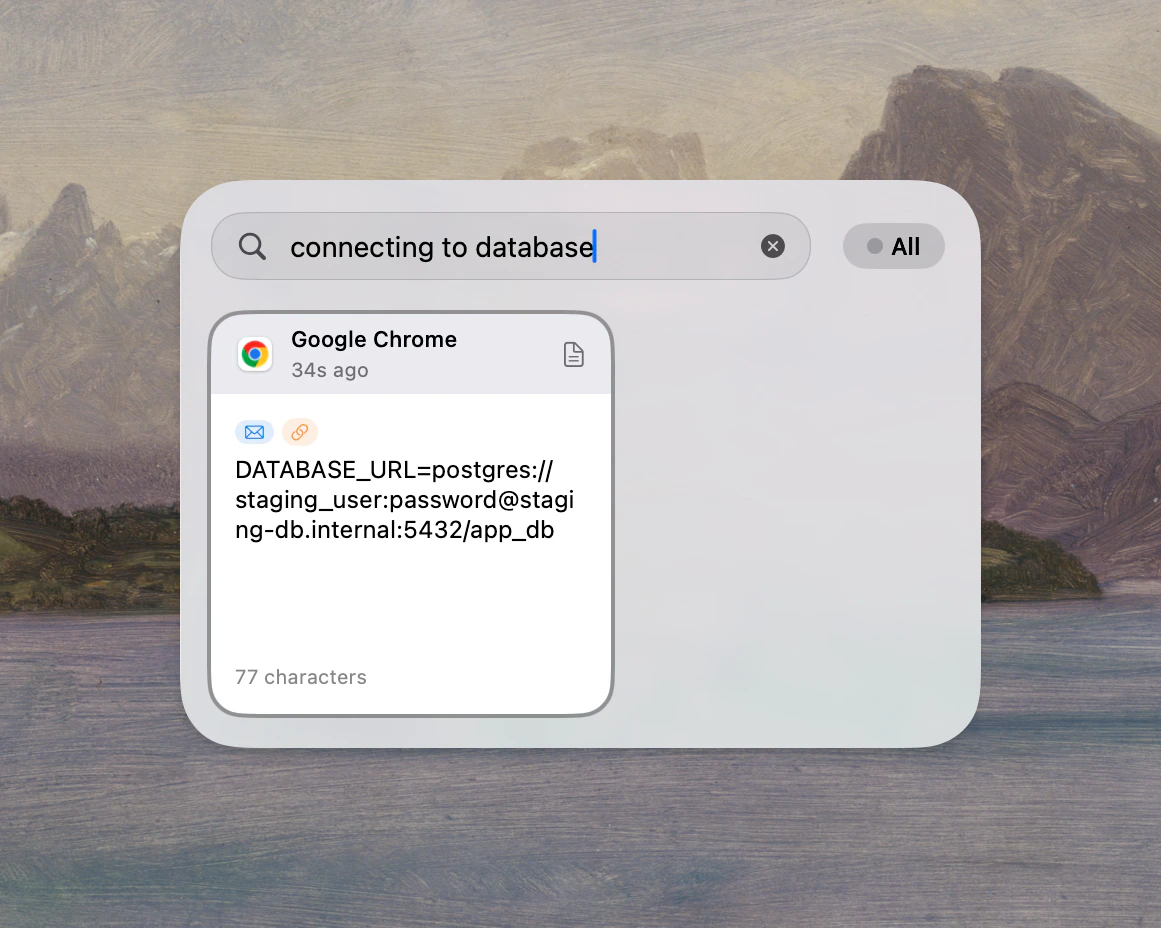
Describe the clip by intent instead of exact text. Deck reranks results by meaning, not just string matching.
Deck searches clipboard history by meaning, not just exact text. On-device semantic search, OCR text extraction, content recognition, and precision filters work together so old clips are seconds away instead of lost.
Deck Clipboard searches your history by meaning, not just exact text. Keyword, regex, OCR, content-type filters, and on-device semantic search work together so old clips are seconds away — without sending data to the cloud.
You copied a database connection string from Slack three days ago. You only remember it had something to do with the staging server. Type that into Deck and semantic search surfaces the exact snippet in under 2 seconds — no scrolling, no asking your teammate to resend it.
Before / After
The goal is getting a specific snippet back without reopening the source app or asking someone to resend it.
Deck combines meaning-based search, OCR, content recognition, and precision filters in one flow — so finding old clips works the way your memory does.
Describe the clip by intent instead of exact text. Deck reranks results by meaning, not just string matching.
Screenshots and images are no longer dead ends — their text is extracted and searchable automatically.
Deck identifies emails, URLs, code, IPs, and tokens so the right filters and actions show up faster.
Find a staging database connection string copied from Slack three days ago.
Semantic search surfaces it in under 2 seconds.
Recover text that only exists inside a copied screenshot.
OCR extraction makes the image searchable like any text clip.
Narrow hundreds of copied logs and URLs to the one from today.
Filters like /app and /date cut noise immediately.
No by default. Deck is designed as a local-first clipboard manager, so the core search pipeline is built to work on your Mac without a remote search service.
Yes. Deck supports exact keyword search, regex, type filters, and semantic recall in the same workflow so you can choose the fastest method for each task.
People who copy a lot every day: developers, designers, researchers, support teams, and anyone juggling many short-lived snippets across apps.
Search & Recall
Download Deck and find old clips by meaning, not just memory.
Requires macOS 14.0 or later