Local-First Storage
History stays on your Mac by default, so clipboard recall doesn't depend on a cloud relay.
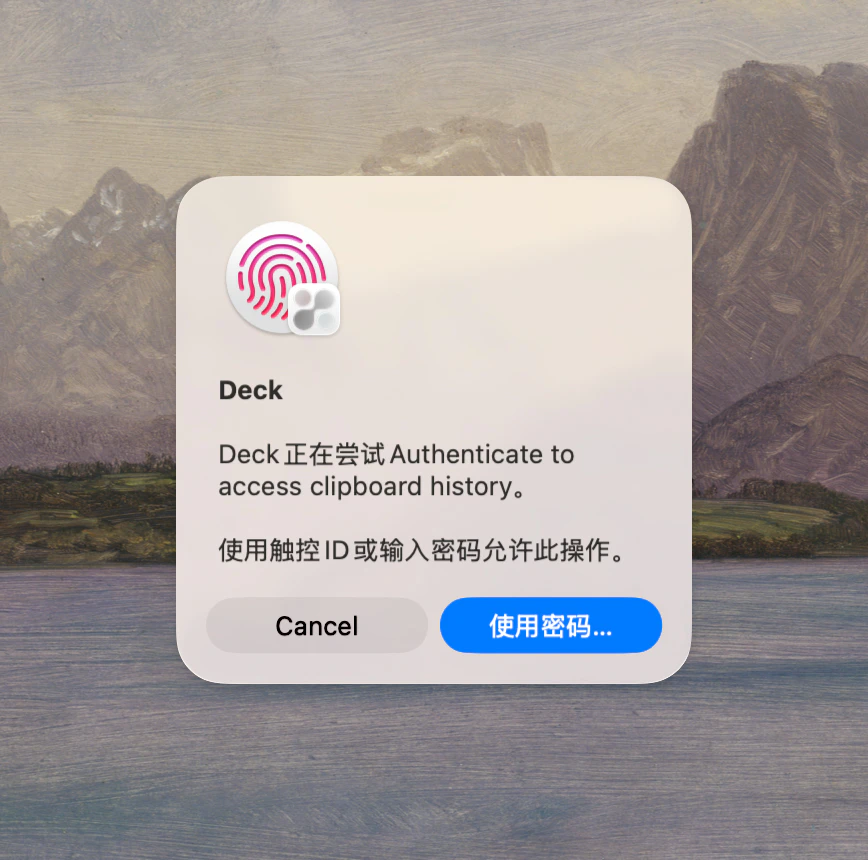
Clipboard history stays on your Mac by default. Deck locks access with Touch ID, encrypts sensitive content, detects card numbers and passwords automatically, and hides itself during screen sharing.
Deck Clipboard keeps all history on your Mac by default. Touch ID locks access, card numbers and passwords are detected automatically, and the app hides itself during screen sharing. Sensitive content is encrypted with AES-GCM.
You're sharing your screen on a Zoom call and need to paste a password. Deck detects the screen recording and hides its window. After the call, Touch ID is required before clipboard history reappears. The password is already protected, and a card number from an invoice was flagged as sensitive automatically.
Before / After
Sensitive clipboard work is rarely planned. It happens in the middle of calls, demos, screen shares, and logins.
A privacy-first clipboard manager should respond differently when the content or context becomes sensitive — not just store data locally.
History stays on your Mac by default, so clipboard recall doesn't depend on a cloud relay.
Protected history stays behind biometric access — a glance at your Mac doesn't expose everything.
Deck detects risky patterns, skips selected apps, and adds protection before sensitive clips linger in history.
Copy a token from a login window during normal work.
Deck detects the sensitive context and protects the clip before it's re-exposed.
Handle a card number from a copied invoice.
The number is automatically flagged as sensitive.
Open clipboard history during a screen-share session.
Deck stays hidden until the sharing risk is gone.
No. Touch ID is only one layer. Deck pairs it with local-first storage, sensitive content filtering, app exclusions, and encrypted LAN sharing for stronger defense in depth.
No clipboard tool can guarantee that perfectly across all apps and contexts, but Deck is designed to reduce risk with multiple overlapping safeguards.
The privacy architecture blog post explains Deck's approach in more detail, including filtering, encryption, and local access controls.
Privacy & Security
Download Deck and keep sensitive clipboard data under control without giving up recall.
Built for Mac users who want clipboard speed without ignoring privacy